Building with machines that think and act.
Pipelines and agents that plan, call tools and finish the job: from a crew of AI agents shipping a game to the apps, tools and tutorials around it.
Projects, end to end.
AI development work that sits outside my main portfolio: agentic game development, full-stack apps, game UI, and the tools and training around them.
Agentic game developmentStratocracy
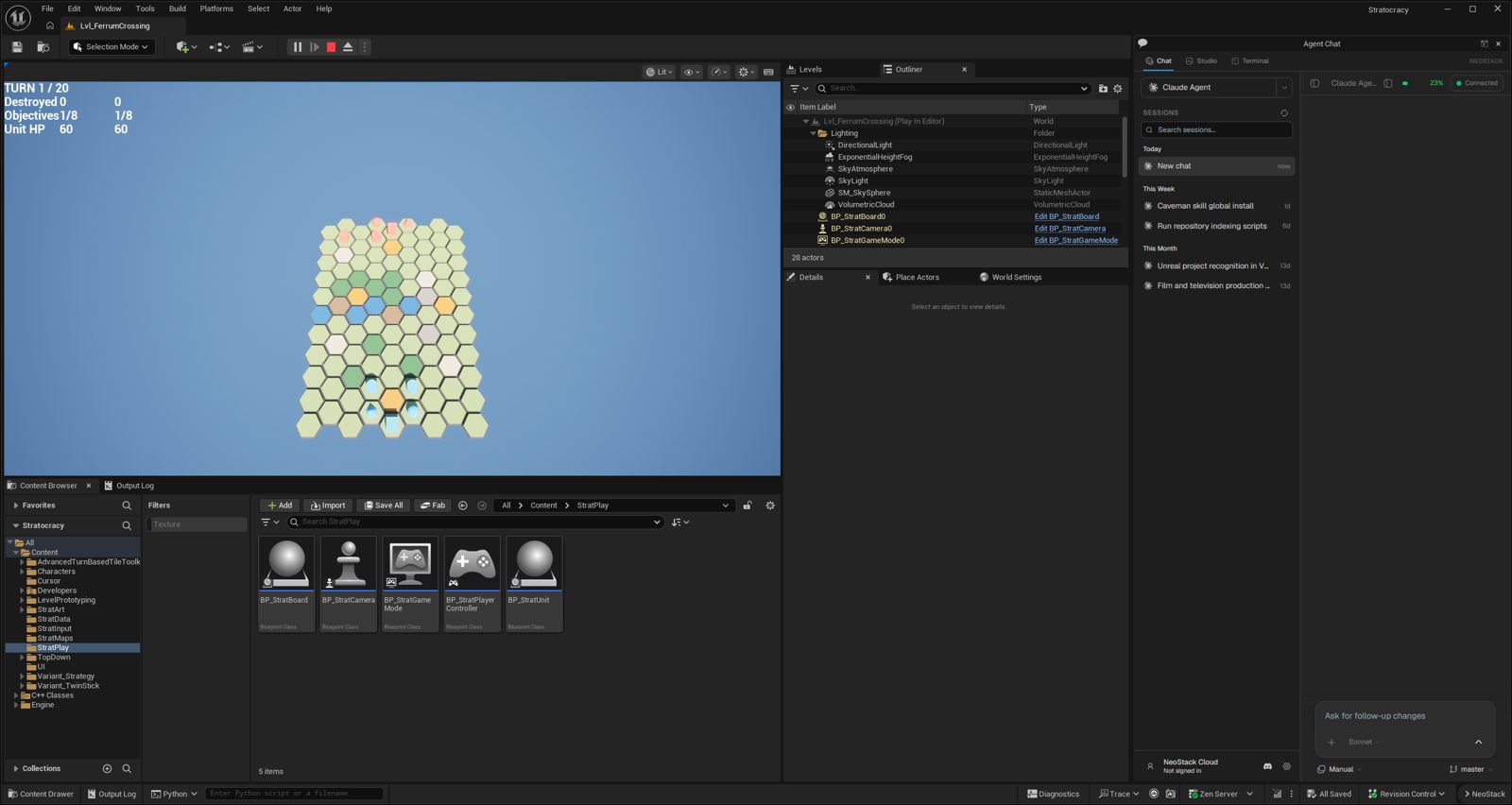
A hex wargame built by a crew of AI agents
Stratocracy
A hex wargame built almost entirely by a crew of AI agents on Unreal Engine 5.8. Authoring agents wrote the rules, a build crew wrote the C++, and automated gates blocked anything that did not hold up. Compilers and tests, not opinion, decided what shipped.
Full-stack webSharpFinders
A live sharpening directory, backend to UI
SharpFinders
A live knife and tool sharpening directory covering the server backend, the frontend and the UI/UX. Browse by city, compare sharpeners, read reviews and submit a listing, with localization and error monitoring built in.

Inside the analytics panel
An admin dashboard built in-house so the directory can answer one question: which businesses do visitors actually contact, and when? Everything is first-party, with a 7, 30 or 90 day range switch, and every number carries its change against the prior period.
Traffic and contact in one row
Pageviews, visitors, sessions, pages per session, listing views, phone, map and website clicks, and an overall contact rate, each with an up or down arrow against the previous period.
Six outcomes that matter
Quote requests, claims started, claims completed, reviews, listings submitted and newsletter signups, plus the listings that produced the most conversions.
A sortable popularity ranking
Businesses ranked by page views, card clicks, phone, map, website or a total. A dash marks a channel the listing does not have, such as no phone number or a free tier with no website link, so a zero is never misread.
Demand the directory misses
Top searches and average results, and a list of searches that returned nothing. Those become the next listings and cities to add.
Where contact starts
Traffic by page type, showing how many visits began on city, service or listing pages and what share led to a phone, map or website click, plus top regions and cities.
When visitors reach out
Layout illustration with a sample pattern, not real traffic. The real panel plots calls or all contacts by weekday and hour in the visitor's own time zone.
How a listing works
Each business is a record that moves through a lifecycle, carries a tier, and can be claimed, reviewed, reported and quoted.
Found, but not linked
Name, services, hours, map and phone. The website link and screenshot are held back.
Link and credit
Adds the website link and a followed link, so a paying business earns real referral value.
Placement
Everything in Pro plus featured placement. The how-it-works page states that paid tiers never change editorial content or verification.
Verify to own it
An owner proves control of the business domain by email code, gets a verified badge and can edit hours, services and contact details.
Routed and moderated
Quote requests go to the owner's email, with a rate limit. Reviews wait in a moderation queue and none are imported from other platforms.
Visitors keep it honest
A flag on each listing files a broken link, wrong category, outdated detail or takedown request for review.
User stories
Synthesized from how the product is built to be used, not quoted from interviews.
As a home cook with a dull chef's knife, I want sharpeners near me with phone numbers and hours, so I can call one today instead of comparing websites.
As someone who cannot drop knives off, I want to browse by service type, such as mobile or mail-in, so I can get them sharpened without losing a day.
As a restaurant manager, I want to find a service that works with restaurants, so I do not rely on whoever shows up at the market.
As a sharpening business owner, I want to claim my listing and fix my hours, so customers find a correct number and trust the verified badge.
As a first-time visitor, I want to know where the listings come from and who pays for placement, so I can trust the order of the results.
As the site's operator, I want to see which listings get calls, what people search for with no results, and when they call, so I know what to add and what to promote.
How the UI and UX changed
Generic directory
Started from a general tools-directory starter. Early work was cards, filters, login screens, a command menu with keyboard shortcuts, and an admin area.
Trust and polish
Listings could be claimed and verified. Cards gained a reveal animation, share buttons became a floating nav dock, and mobile navigation was simplified.
Tiers and a calmer system
Free, Pro and Featured tiers arrived. Search lost its theme switch for a keyboard shortcut hint, admin forms got submit shortcuts, and colors moved to the perceptual oklch format.
From a tools list to local sharpening
City pages, quote, review and claim dialogs right on each business page, and structured data for search. FAQs stopped being collapsed so answers are visible, a plain summary sits under the hero, and a mobile sharpening guide was added. The website link became a paid-tier feature.
Measure what people do
The first-party analytics panel shipped, then grew search, conversion, location, page-type and contact-timing views.
Ratings you can sort by
Star ratings on every card, minimum-rating filters and a Highest Rated sort, with Google ratings and site reviews shown separately. This closes the biggest gap against review-led directories.
iOS appTickPingDo
A sequence timer for iOS
TickPingDo
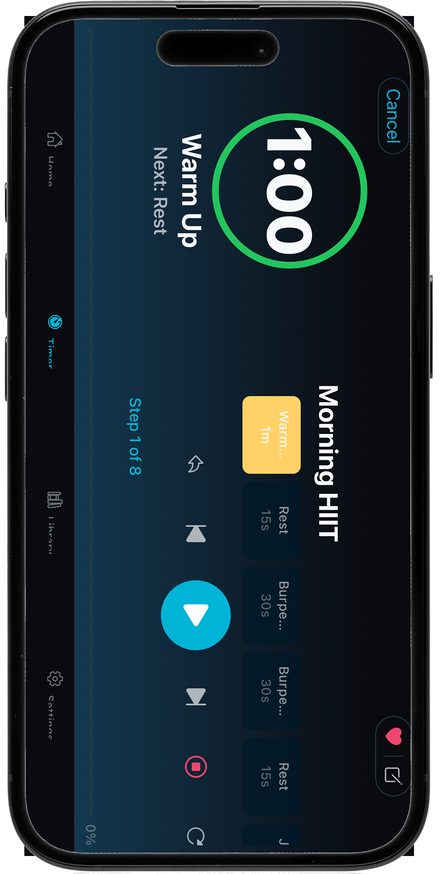
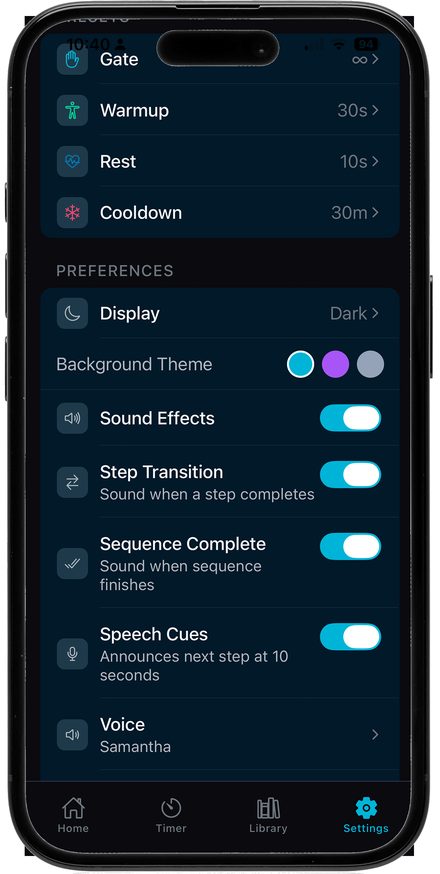
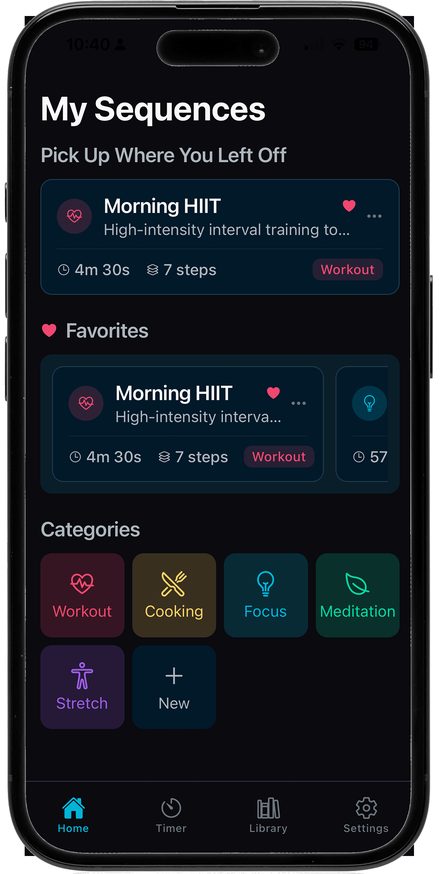
A sequence timer for iOS. Build a routine from timed steps with repeat counts and manual gates, then run it with a lead-in countdown, sound, haptics and spoken cues. Light and dark palettes, ten languages, and a RevenueCat paywall that was built, tested and then removed so every feature is unlocked.
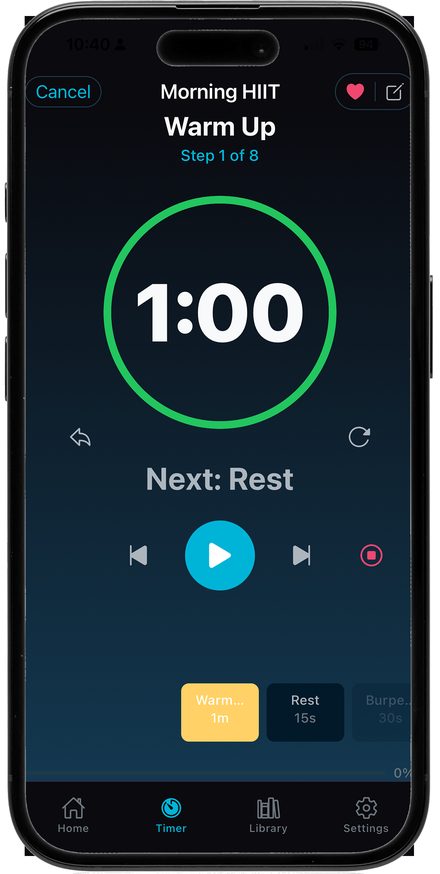
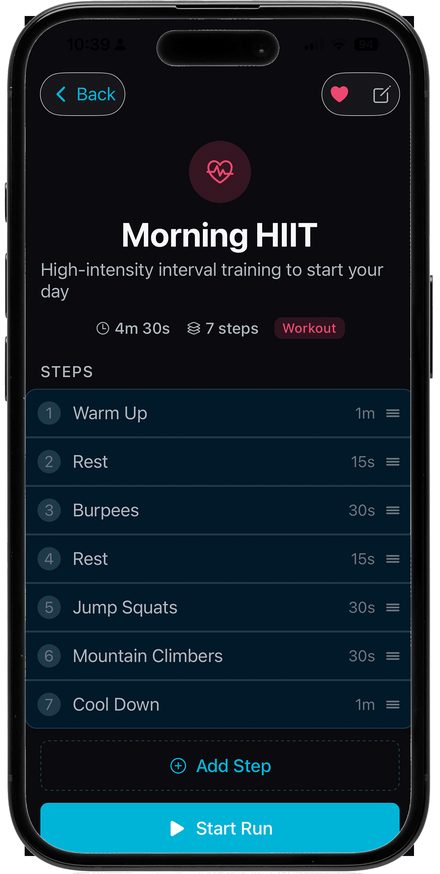
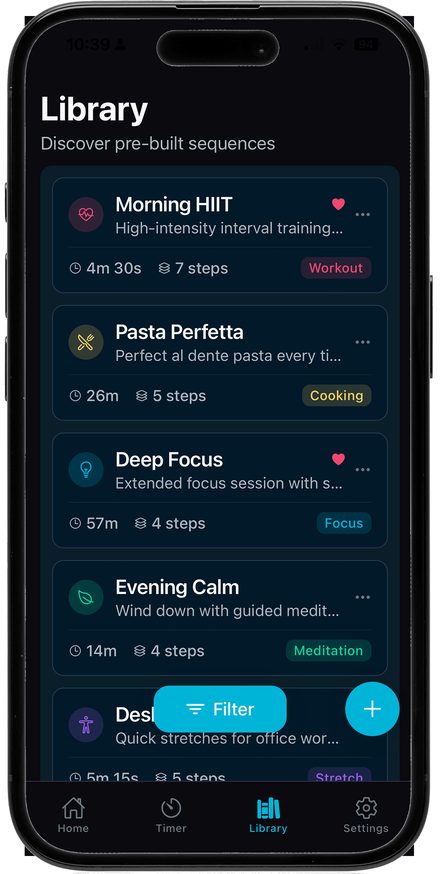
How a sequence works
A routine is a list of steps. Each step has a name, a duration, a color and an icon, and can repeat. The timer compiles the list into a flat run order, so the screen only ever has to answer two questions: what is happening now, and what comes next.
One step, many rounds
Give a step a repeat count, so four rounds of work is one row, not four. The engine also supports repeating a whole range of steps and is covered by tests, though there is no screen to build that yet.
Wait for a tap
A zero-length step that holds the sequence until you are ready, for things a clock cannot know, like flipping the food or resetting the weights.
Saved, sorted, filtered
Starter routines for workouts, cooking, focus, meditation and stretching, your own categories, favorites, and a filter sheet that shows how many sequences each category holds.
A 3, 2, 1 lead-in
A beep and a haptic on each count, so you can put the phone down and get into position. Leaving the app cancels it and starts fresh on return.
Eyes optional
Notifications for step changes, sound and haptic toggles per event, and spoken cues that announce the next step about ten seconds before it begins.
Any orientation, any language
Portrait and landscape layouts, light and dark palettes per display mode, and ten languages that follow the device setting.
User stories
Synthesized from the starter routines and the way the screens are built, not quoted from interviews.
As someone doing interval training, I want a work step that repeats, so I can set up intervals in seconds and stop watching the clock.
As a cook timing a five-step recipe, I want a gate before the step that needs me, so the timer waits until my hands are free.
As a person doing focus sessions, I want long steps and a calm screen, so the timer does not pull me out of the work.
As someone winding down in the evening, I want spoken cues and soft sound, so I can keep my eyes closed.
As a person on the floor stretching, I want a big readable timer in any orientation, so I can see it from where I am.
As a returning user, I want my routines saved, favorited and easy to find, so starting one takes a single tap.
How the UI and UX changed
The whole app took shape in about five weeks of commits, March to early April 2026. Most of the UX work was removing friction as it showed up in use.
Make it work, then make it stick
Create, edit and delete sequences, drag handles to reorder steps, and local persistence so routines survive a restart. A run engine and step notifications followed, with tests on the compiler.
A library that scales
A scrolling row of category chips, which clipped text, was replaced by a Filter button and bottom sheet with counts. Custom categories were added, and swipe to delete was added, with haptics and a screen-reader action.
Readable, then calm
Borders and tertiary text were darkened to meet AA contrast in light mode, and every tappable control got a light outline there. The header now shows the sequence name instead of Now Playing, and the last step says Next: End.
Hands-free running
The lead-in countdown, restart buttons that moved to the bottom corners, controls shifted so Play sits in the center, and spoken cues. A lock-screen live activity and a final-seconds countdown were tried and then taken out.
Make it feel like one product
Matching palettes for each display mode, ten languages, a feedback form, a centered dialog instead of a drawer, and the name changed to TickPingDo. iPad support was dropped to focus on the phone.
Fewer gates
Early builds put drag, add and edit behind a paywall. After testing, the paywall and locked features were removed, and category editing was added in its place.
Game UI / UXWebUI for Unreal
Game menus written in HTML and CSS
WebUI for Unreal
In-game menus and HUDs written in HTML and CSS, hosted inside Unreal with the WebUI plugin and driven from Blueprints, with data tables feeding the screens. The main menu on the right is the real page, running live, and the three below restyle the same screen as horror, fantasy and sci-fi RTS games.
Tutorial & trainingPerforce on Oracle Cloud
A server setup guide, with video
Perforce on Oracle Cloud
A tutorial and setup guide for running a Perforce server on Oracle Cloud, with the setup and checkpoint scripts, written for sharing information and training a team. The walkthrough is on video.
What the tutorial covers
It is written for total beginners, with no cloud, SSH or Perforce background assumed, and ends with a server that starts on its own, accepts connections from one address only, runs at security level 4, backs itself up, and survives a reboot.
Free ARM server and a separate disk
An Oracle Cloud Always Free ARM virtual machine with 2 CPUs and 12 GB of RAM, plus a separate 150 GB data disk so the depot outlives the machine.
Two firewalls and strong passwords
One script installs Perforce as a service. SSL, a one-address rule in both the cloud network and the machine's own firewall, and security level 4 keep strangers out.
Two layers of backup
A nightly checkpoint and a weekly disk backup that stay inside the free limits, proven by a reboot test and a first real submit.
No public IP
How a new machine ends up with no public address, and the console path to find and fix it.
Firewall rule order
An allow rule that sits below a reject rule never fires. Order matters.
The Bronze backup policy
Why not to pick the Bronze policy, with the weekly schedule shown for contrast.
A bonus chapter moves history from another Perforce server, either with P4Transfer for long histories or by replaying short ones. The setup and checkpoint scripts, a migration script and a command reference are packaged as a download alongside the video.
How Claude and AI agents made the video
The whole video is code: every scene is an HTML page, the voice is synthesized, and the timing is computed from the audio. That made it a good fit for an AI agent working in a project folder, with me directing and reviewing. Claude Code worked in that folder to build it, Claude Design was used to shape the motion, and small scripts turn the audio into timing and captions.
Intent written down first
A short brief set the message, the audience, the length and the rules: never show a real IP address, fingerprint or password, and re-check free-tier numbers before publishing. The agent worked from it.
One source of truth
A long written script, and a 25-slide deck published as a Claude artifact, fixed the content and the visual language. The video follows them rather than inventing new copy.
Stills reviewed before the build
The agent proposed a plan in chat, then generated stills for each scene on one review page. I approved or changed them before anything was animated, and each scene was tracked as planned or built.
Motion layered over finished slides
A prompt for Claude Design asked for motion only: same slide order and text, with step cards, typed commands and highlights that land with the narration. Console screenshots appear as side frames, never full screen.
Synthesized, and easy to swap
A local text-to-speech model read the script one line at a time. A spoken-form pass fixes words it would mangle, like saying P four D for P4D, and each line is hashed so unchanged lines can be reused. I can drop in my own voice later.
The audio sets the clock
A script measures every voice line and sets each scene's length from it, plus a lead-in, a gap and an overlap for the transition. Edit a sentence and the whole video retimes itself.
Generated from the same data
Subtitles are built from the measured voice timings, with spoken forms turned back into written ones like .p4config. The thumbnail is its own small composition, built from a frame of the video.
Redaction in code
A short script pixelates sensitive boxes on each real console screenshot so the text cannot be recovered. The rule is written into the brief: blur once, never undo it.
Where I stayed in charge
The project ran in collaborative mode: I set the brief, reviewed the storyboard stills before the full build, and changed my mind about real console screenshots on 18 October, which the agent then folded in as redacted side frames. The brief also tells the agent to re-verify free-tier numbers and console paths before publishing, since Oracle changes them.
Custom toolingStory Loom
A story planning tool built for one game
Story Loom
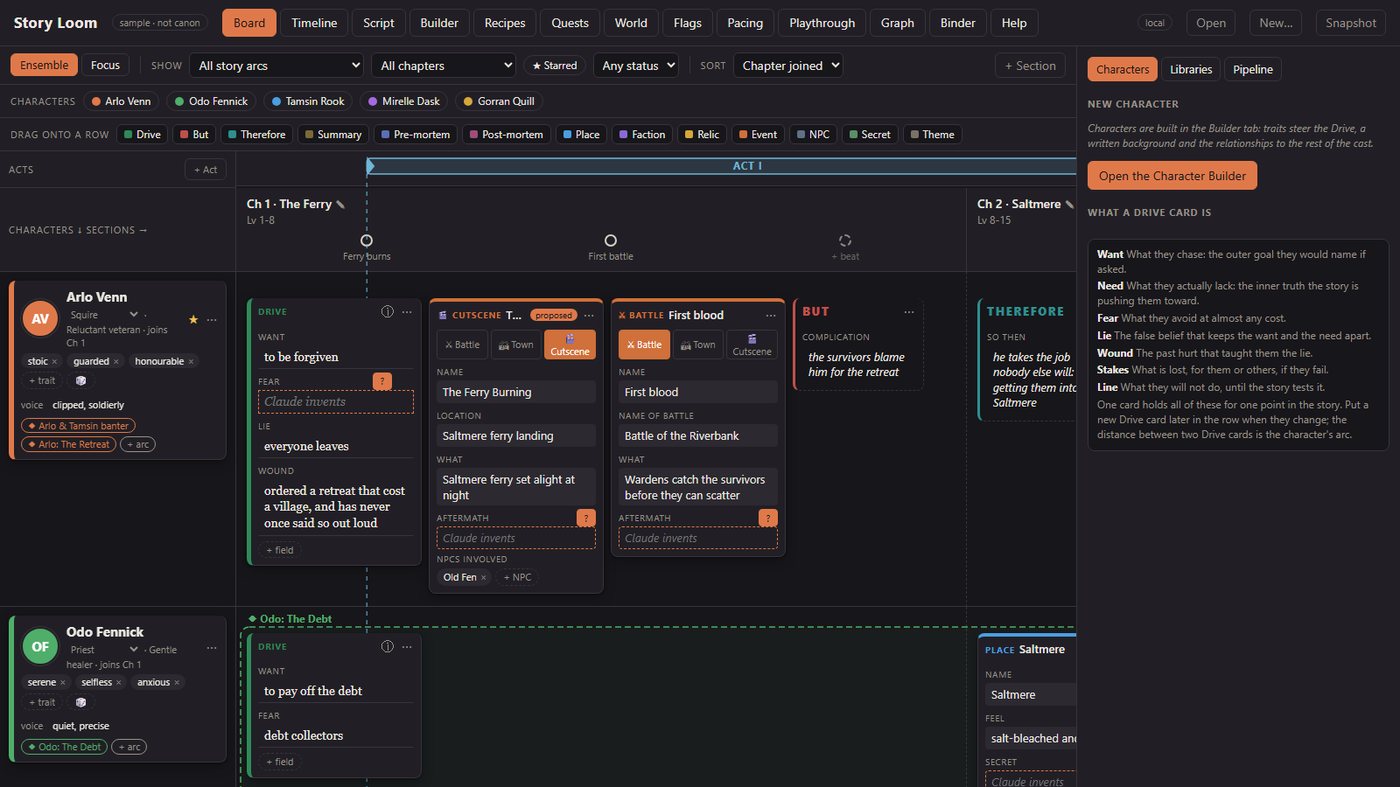
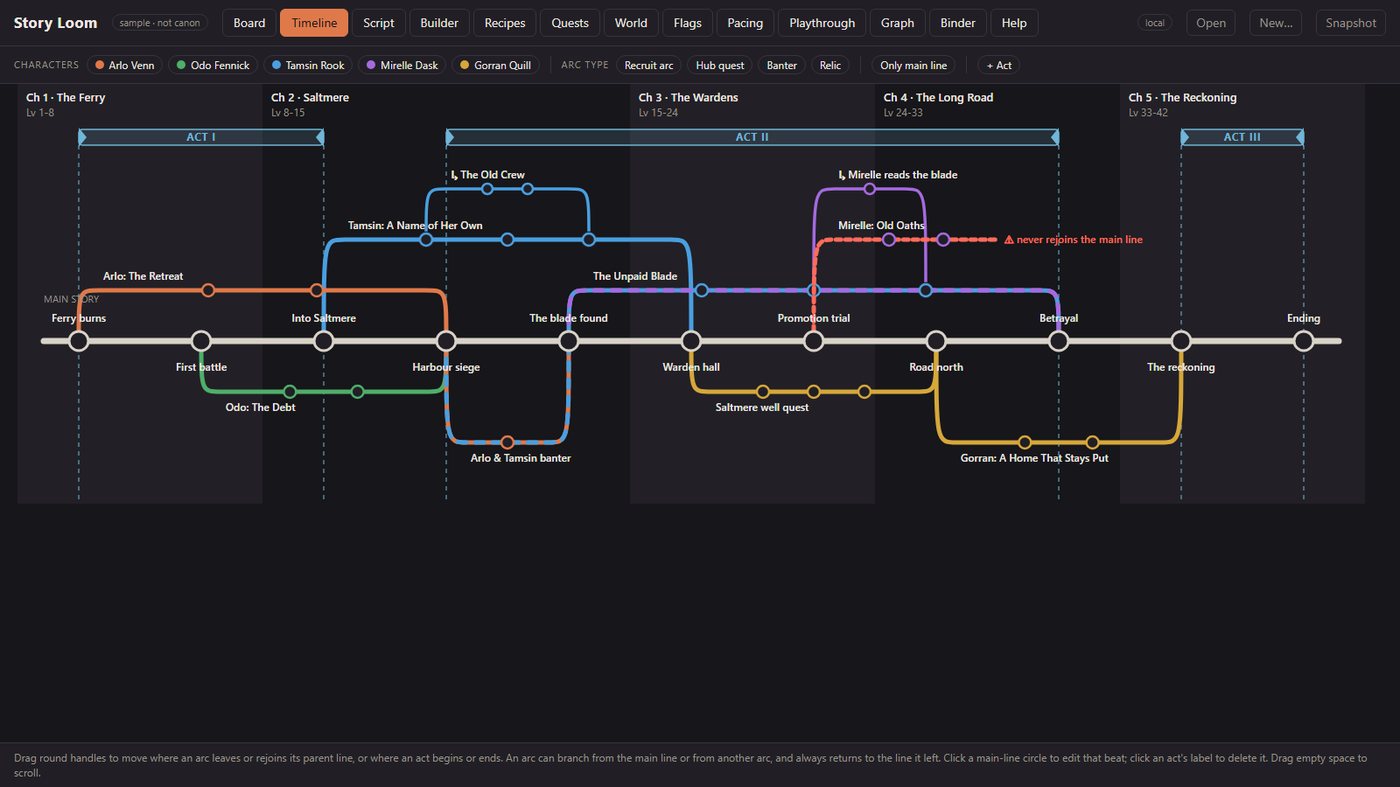
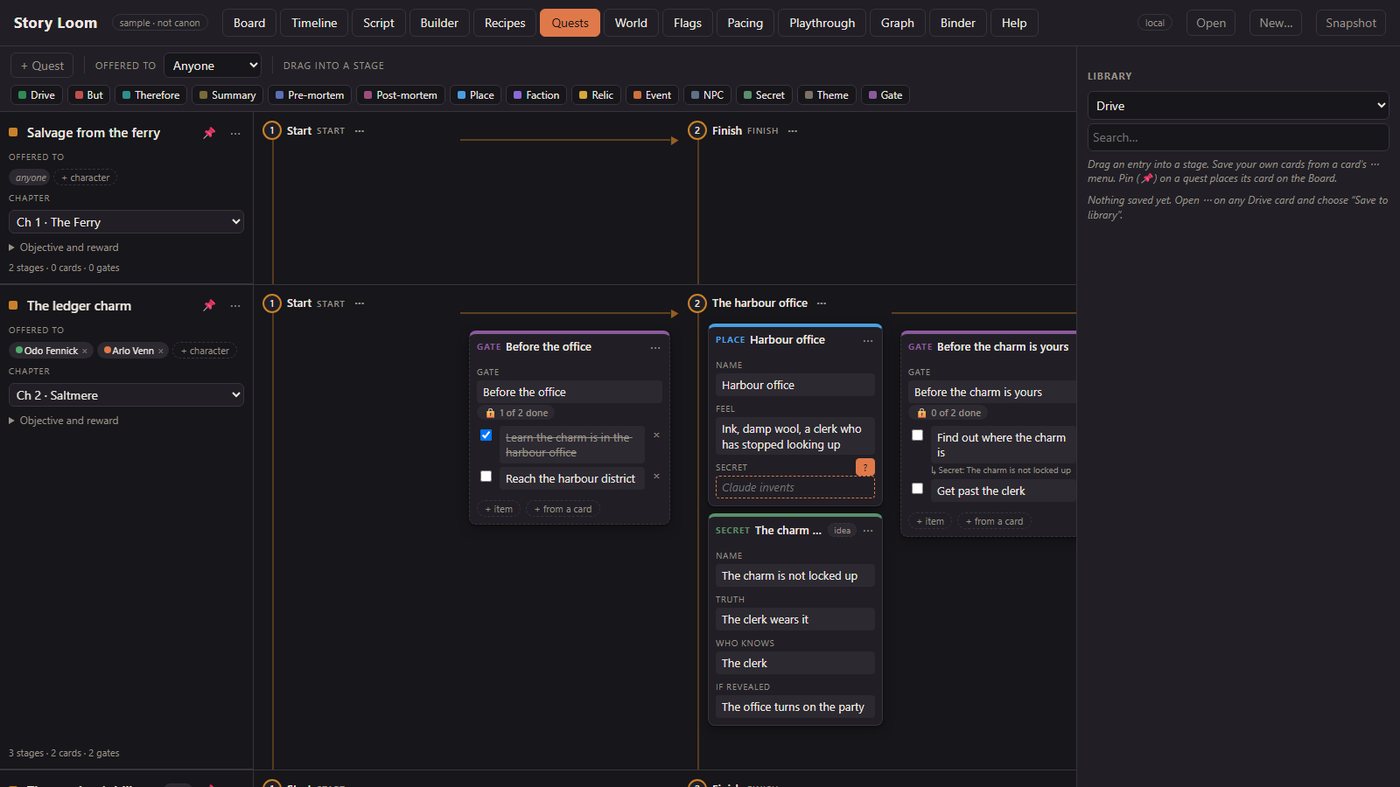
A project-specific story tool built inside Glimmer. Cast, arcs and quests on a board, a relationship graph, flag and playthrough checks, and exports to a director brief, the design doc and Unreal tables. Screens shown use a sample story.
Two tracks, one toolbox.
The same habits across both: small tools, clear gates, and results that get checked before they are trusted.
Generative AI
Image and video generation workflows.
LLM-powered content and tooling.
Agentic AI
AI coding agents and multi-agent orchestration.
Tool use, MCP integrations and workflow automation.